Most Password Managers Aren't That Safe
 Photo by Marcelo Moreira
What should you use to store your passwords? KeepassXC? Bitwarden? NordPass? 1password? The one you got for free with your email account? The built-in one in your browser? I have opinions.
When software isn't open-source, we cannot verify it is safe. When all passwords are stored in one big cloud storage, we just attract hackers. When a company can cut off your access to your passwords, they were never really yours to begin with.
Let's dig a little deeper into each of these points.
Why open-source is a must
Is it open-source? Or is it bad?
For any security sensitive application, open-source software should always be preferred. Software isn't automatically good when it is open-source, but view it as an ingredients list on food packaging: Without it you have no idea what's in there and you should be very suspicious.
Having an active community around the software is another good indicator.
How many people have checked the code for problems?
Open source software, especially those dealing with security or encryption, will have had more eyeballs on it than proprietary software. Because if an NDA is needed to look at the code, then a lot less people will look at the code. So even if you haven't personally checked every line of code, you can be sure that as a whole, the community has.
Companies have legal constraints
Companies operate in different countries that have different laws. No matter how secure they say they are, they have to comply with the law, and often that means being able to answer to subpoenas and help law enforcement. As we saw during the Snowden leaks, governments will force companies to comply (RIP Lavabit), and many big companies simply have built-in direct access for government agencies (e.g. PRISM).
If the software is open source, there's nowhere to hide the backdoor.
There are real incentives for companies to not tell its users about their shady dealings with data brokers and governments like: reputational damage, lucrative government contracts, or even threats of treason. (Example: The UKs secret order to build a backdoor into iCloud.)
"Trust me bro"
If you cannot see the source code, you have to trust the company to have your best interest in mind. And, spoiler alert, they don't. While there may be overlap, their primary interest is shareholder value. And they will sell you out, often literally, if it benefits them. Shareholder interests also incentivise companies to downplay or even hide security breaches.
When the goal is to make as much money as possible security and privacy become an after-thought. So sooner or later, the focus on privacy and security will have to take a back-seat to raking in that sweet, sweet dough.
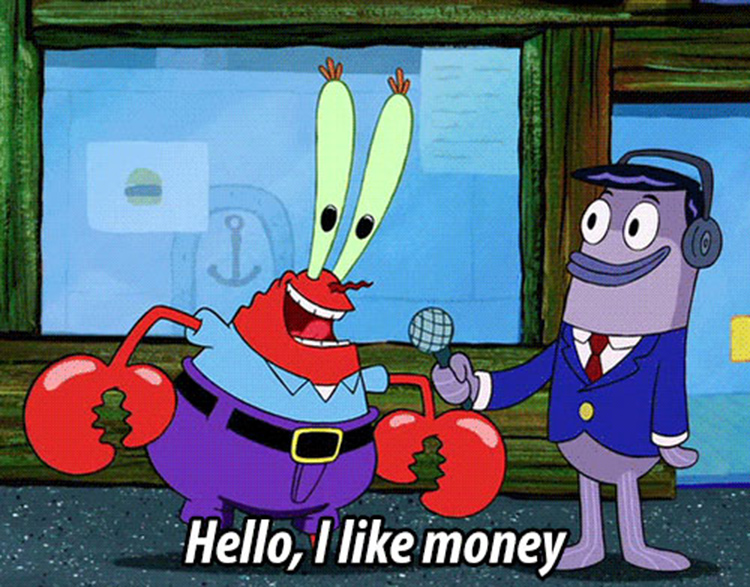
So, either something is open source, or it is bad. There are very few exceptions.
If you don't have direct access to the data, it is not your data
Anything that stores your passwords only in the cloud should be avoided like the plague.
If a company can turn off your access then the data was never yours to begin with.
It was theirs. You were just being allowed to use it. That's not a situation you want to find yourself in for your passwords.
Losing access to you data can happen because you can't (or don't want to) pay anymore, or the company went bankrupt, or someone made a mistake, or government pressure, etc.
Make sure you are the one in control of your data.
Password Manager companies are a target for hackers
As was evident in the hack of LastPass, hackers love to get password vaults. Any company that specialises in collecting passwords, encrypted or not, will be a huge target.
Even if the hackers can't see your unencrypted passwords, there's numerous ways in which they can still use the data. Anything from brute-force, to phishing, to metadata mining.
There's no reason to put all of our passwords together on top of a big, shiny, moist pile of passwords, just yearning for a hacker to find it.
You may be thinking: "What about banks? They keep all the money in one pile, that seems to work for them!" Yes, mostly. But the difference is, if a bank gets robbed, they have insurance, and you still get your money back. On the other hand, if your passwords are leaked, there's no going back. You now need to change every password you ever set for literally everything. Preferably before the hackers empty your bank accounts and steal your naughty pictures from your iCloud.
What then, is a good password manager?
When selecting software for storing your passwords, you should consider the following:
- The software should be open source
- You should have direct access to the data, without an internet connection
- It should not be stored in a giant hackers-honey-pot
- The data should obviously be encrypted
On top of that we also need convenience. So let's add:
- It should be accessible on all our devices, always up to date
- It should do all the auto-filling in apps and websites
- It should be very hard to lose access to your passwords
- It should be 'easy to use'
Password Managers that don't suck balls
So anything that relies on proprietary software and cloud infrastructure can get rejected outright. This includes 1password, nordpass, and many others.
The big players that try to lock you into their system can also be rejected due to losing access to your data. So that disqualifies Apple, Google, Samsung and other tech-superpowers.
Browsers' built-in password management is hard to deal with. Sync gets hard, usage across browsers is hard and how would you even back them up? Browsers often use the OS' built-in facilities for secrets which are hard to extract for normal people.
There are two options that I would trust:
Self-hosted BitWarden
BitWarden is open source! Great! It has apps on every platform and generally works well. It is very popular so you can be pretty sure it is secure. However...
You can get BitWarden itself to host it for you. But now you're just back to trusting them to keep safe the big pile of passwords.
Or you can self-host! You will need to have a server. And it will be a single point of failure. If your server crashes, your passwords are gone. So you also need to manage your backups. And security updates. Ugh.
At this point I will have already lost 99% of you, and rightly so. I do not think that this is a viable option for most people. If you are an IT professional and you like to mess around with servers, then power to you! But for us mere mortals and people that value their free time, let's find something else.
KeePassXC
KeePassXC is just an app that you run locally. It uses a local file for your passwords (encrypted of course). Do you remember when you would use programs like MS Word 2000 and you could just save files on your computer? Yeah, that's the vibe. It runs locally, it uses local files. There's no internet connection, there's no server, there's no company collecting telemetry or metadata. Everything is just yours, on your device.
So that’s cool. But as we’ve established, you’ll also need access everywhere without having to manually copy new passwords across devices. So what do we do about that?
Somewhat paradoxically, this is where the cloud storage comes in. Not from KeePassXC (they don't have any), but just from whatever you already use. Dropbox, Google Drive, OneDrive, Apple iCloud, or if you are a privacy nerd like myself: NextCloud.
"But wait, didn't you say we DON'T want it in the cloud?"
Good catch. However this database is now much safer than at a company designed for password vaults:
- Services like Dropbox are less of a target than let's say Proton Pass. Because most of what people store in Dropbox are not secrets and sensitive data. Most of it is old emails, memes, and pictures of your cats. That stuff is worthless to hackers; But that's not even the best part:
- With KeePassXC you can create a database that requires a password AND a key file. If you use the key-file feature, then if becomes impossible to brute-force the password without the key file. This means you could theoretically post your password database publicly on reddit and it wouldn't matter (don't do this tho...).
What's a key file then?
To oversimplify: A key file is basically just a REALLY REALLY long password stored in a file. As in: more than thousand characters long password that mixes numbers, letters, symbols and more in a completely random way. If a hacker tries to guess this the universe will have ended many times over before they'd ever be able to get in. At that point attackers are better off with the good old wrench method.
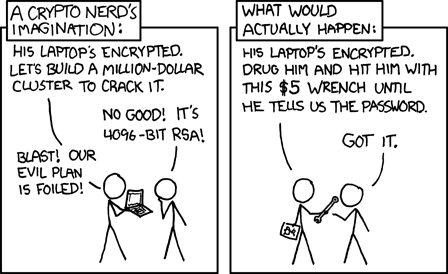
This key file is a secret. It should never be put on cloud storage, it should not be emailed. It should never be on the internet. It should only exist on your devices.
So:
- Create your Keepass database file
- Use a password and a keyfile
- Place the database file on your cloud storage
- Keep the keyfile OUT of your cloud storage
- For every device that you want to use the database with, you will have to copy your key file over once. (This file never changes)
Conclusion
Let's go over those points we mentioned before:
The software is open-source. KeepassXC is open source and has been around since 2012
You have direct access to the data, without an internet connection. It's a file on your device.
It is not be stored in a giant hackers-honey-pot. It is a file! On your device!
It is accessible on all our devices, always up to date. KeePassXC is available on Windows, Mac, Linux, Android, IOS. The database can safely put on your favorite cloud storage provider for automatic sync.
It can auto-fill your passwords in apps and websites. KeePassXC supports this.
It is very hard to lose access to your passwords. You have a copy of your database and keyfile on every device (phones, laptops, tablets, PCs). As long as you don't lose all your devices at once, you will have a working copy.
I would also recommend to get a cheap USB stick, put the keyfile on there, and store the USB stick in an envelop in a physical safe.
It is 'easy to use'. While 'ease of use' is a very personal experience, I feel KeePassXC is pretty straight-forward, but this is more personal taste than anything else. Try it out!
Also, KeePassXC is 100% free! But definitely show some appreciation by donating to them if you can.
Disclaimers
I am personally not associated with KeePassXC in any way shape or form. I just think it's an amazing project that answers the call of modern passwords managers better than any of the paid options out there.
KeepassXC Tutorial
To learn how to set up KeepassXC, click here!